
iKB enterprise AI knowledge base platformFind it. Check it.
Act on it.
One platform to search company knowledge, answer with sources, build dashboards and create reports. Analyse approved data and research public sources when enabled. Manage access, AI models and audit records in one place. Full technical details for your IT, risk and procurement teams are below.
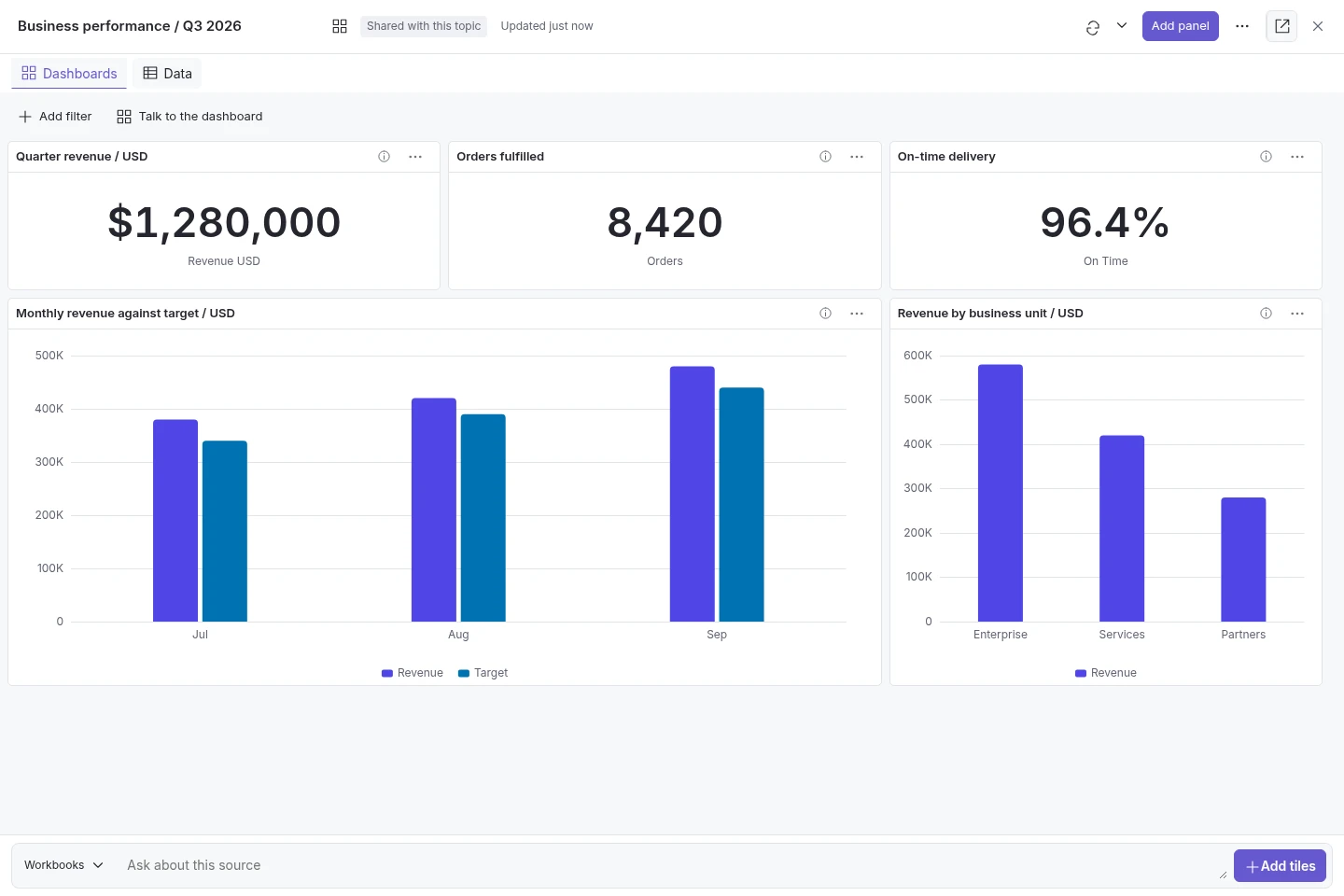
Feature guide reviewed: 21 October 2026. Features depend on the installed version, topic settings, platform configuration, supported models and deployment. Dashboards require signed-in native-chat access and approved sources. External research needs network access. Browser notifications need permission. Confirm the features you need during evaluation.
Create reports, presentations and training materials.
Studio turns conversations and source material into documents your team can edit and reuse. Save versions and export supported formats.
Explore studio & outputs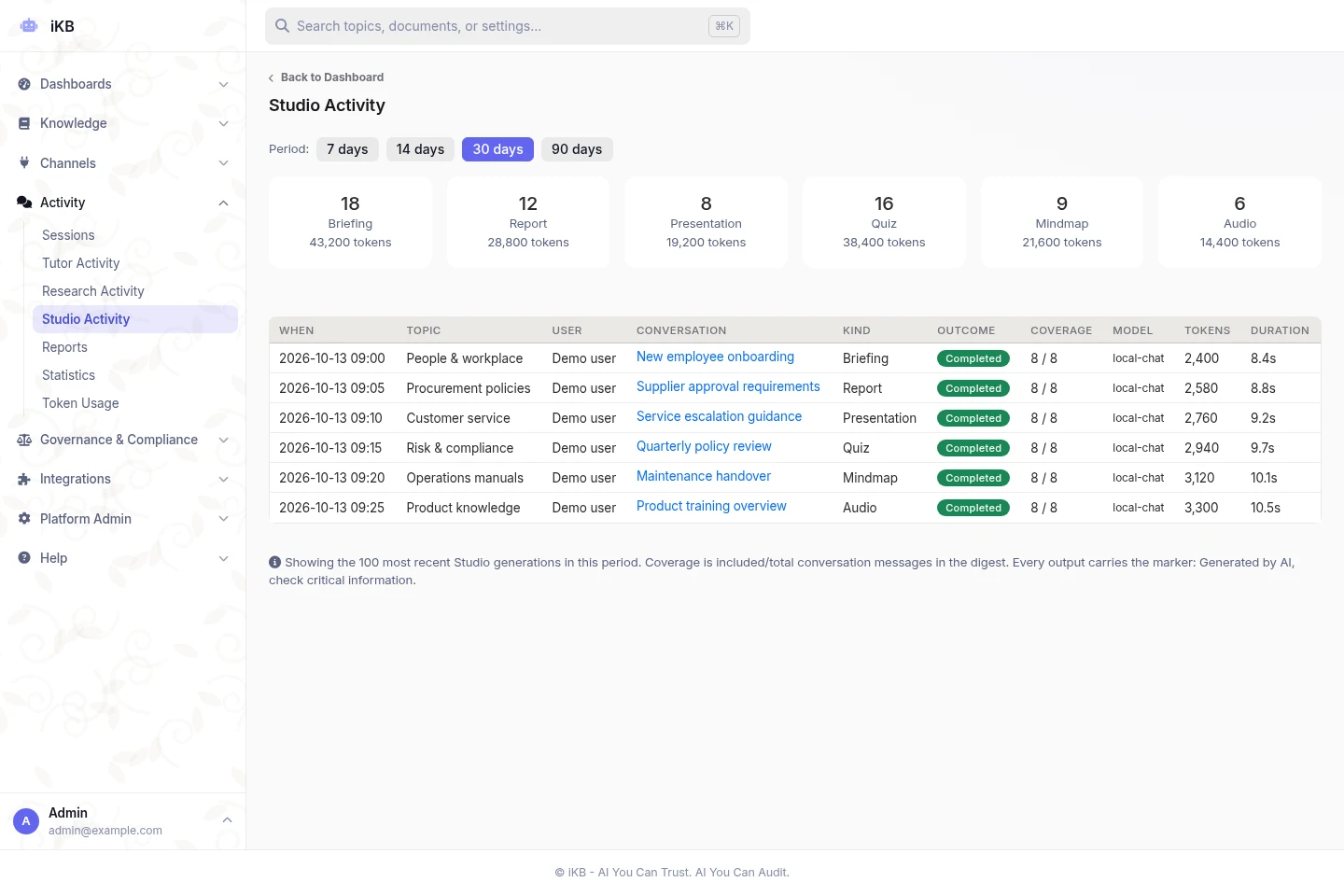
Search company documents and connected systems.
Upload files, import supported public share links and connect approved business systems. Organise the sources into topics, each with its own access rules and AI settings.
Explore connected knowledge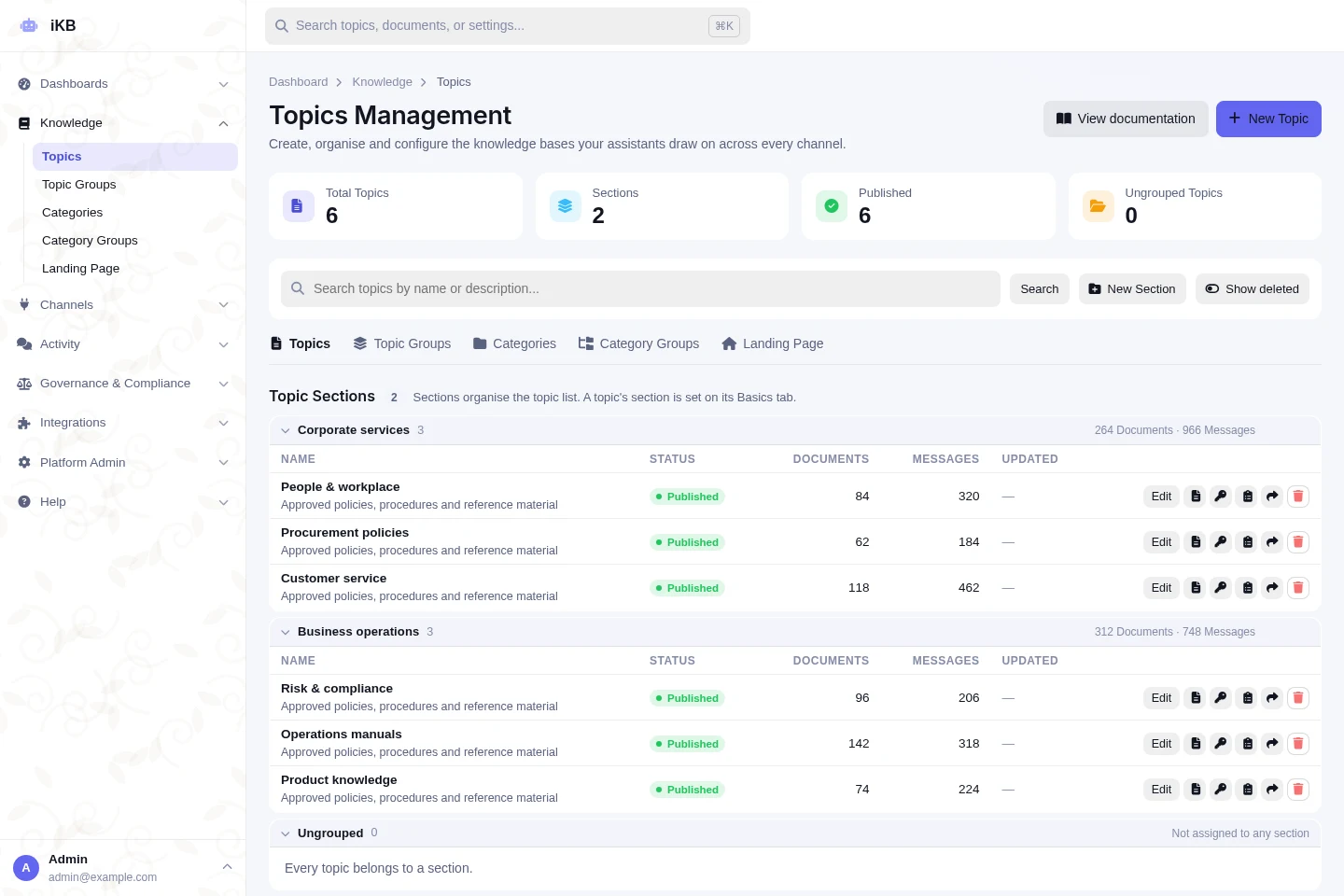
Business integrations
Works with the tools
your teams already use.
No need to move your files or change how people work. Connect iKB to your documents, chats, customer records and business data. You decide which accounts and actions are allowed.
Ready to enable.
Platform administrators configure the starting selection. It is not a limit: additional supported connectors can be configured as needed.
Documents & knowledge
Search approved files, pages and team knowledge.
 Google DriveFiles and shared documents
 Microsoft OneDriveBusiness files and folders
 NotionPages and knowledge collections
 ConfluenceTeam wikis and project knowledge
 DropboxShared files and folders
Chat & project tools
Find approved information in conversations and project records.
 Microsoft TeamsTeams and channel information
 SlackChannels and conversations
 JiraIssues and project records
 GitHubRepositories and issues
Customer service & CRM
Read approved customer and support records to help answer service questions.
 HubSpotCustomer relationship management records
 ZendeskSupport tickets and service records
Business data & analytics
Use approved tables and business data alongside your documents.
 Google SheetsSpreadsheets and operational data
 AirtableBases, tables and records
 Google BigQueryDatasets and analytical queries
 DatabricksData and analytics
More supported connections
Other options cover office tools, customer service, finance and software development.
- Google Docs
- Google Calendar
- Google Forms
- Google Meet
- Google Slides
- Box
- Coda
- Miro
- Figma
- Asana
- Trello
- monday.com
- ClickUp
- Linear
- Smartsheet
- Freshdesk
- Freshservice
- Intercom
- Pipedrive
- GitLab
- Bitbucket
- Supabase
- Zoom
- Webex
- Calendly
- QuickBooks Online
- Xero
- Stripe
- Shopify
- Mailchimp
Enable a configured connector, authorise the account and approve its actions for each topic. Available operations depend on the provider, permissions and deployment settings.
These are selected supported providers, not the full catalogue or a fixed list of the 50 preselected connectors. Names and logos identify compatible services, not partnerships or endorsements.Control AI access. Keep records for review.
Set access and privacy rules for the platform, each topic and each connected action. Keep the sources and policy checks behind answers for your review and audit process.
Explore governance & evidence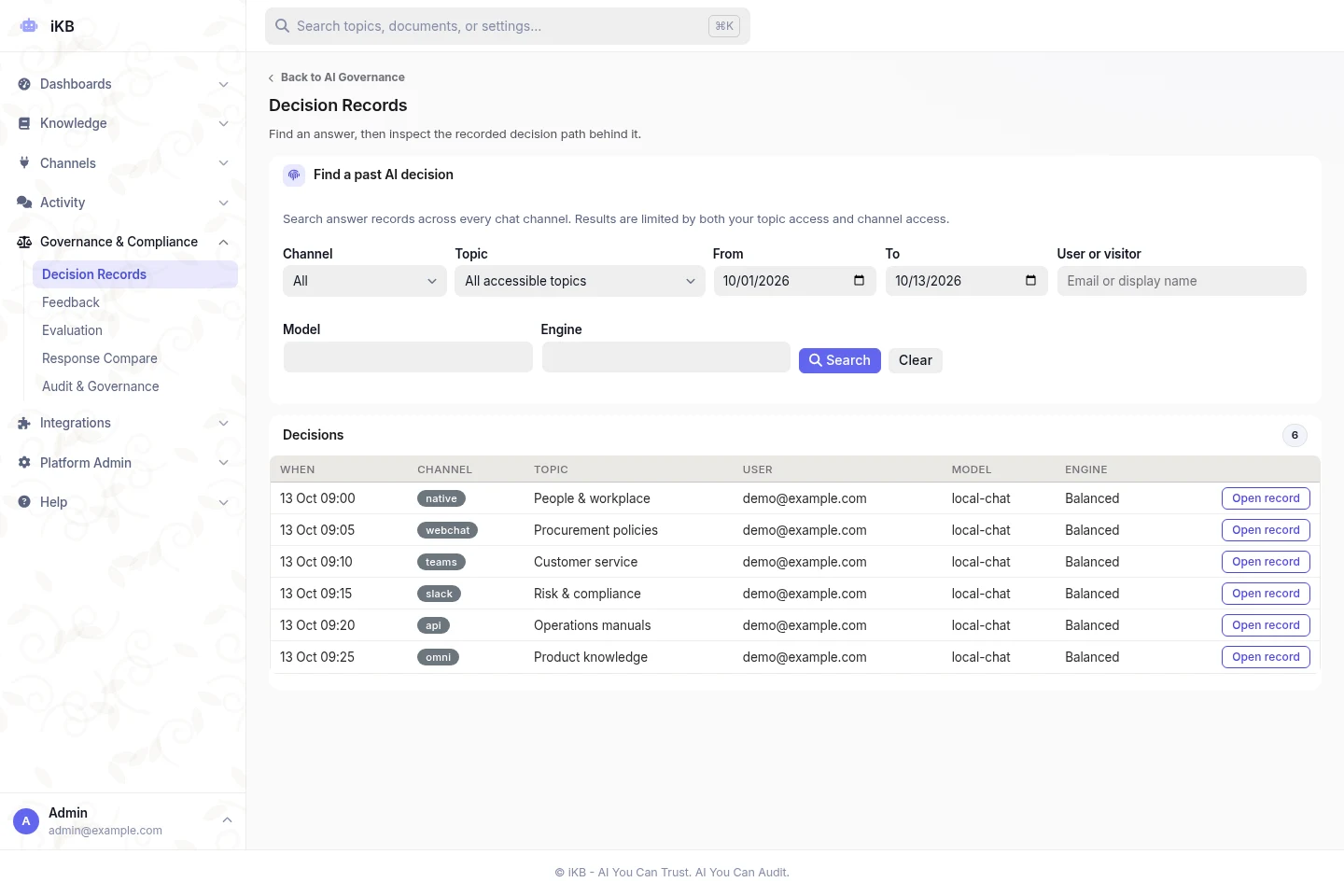
Build dashboards by asking about your data.
Ask questions about approved spreadsheets and databases. Save charts and tables, check the calculations and share dashboards with authorised users. Use document sources when figures need context.
Explore analytics & researchExplore Research & literatureChoose the right AI for each task.
Choose hosted or local AI models. Set platform defaults and topic-specific rules. Review model usage and what happens when a selected model cannot respond.
Explore model controls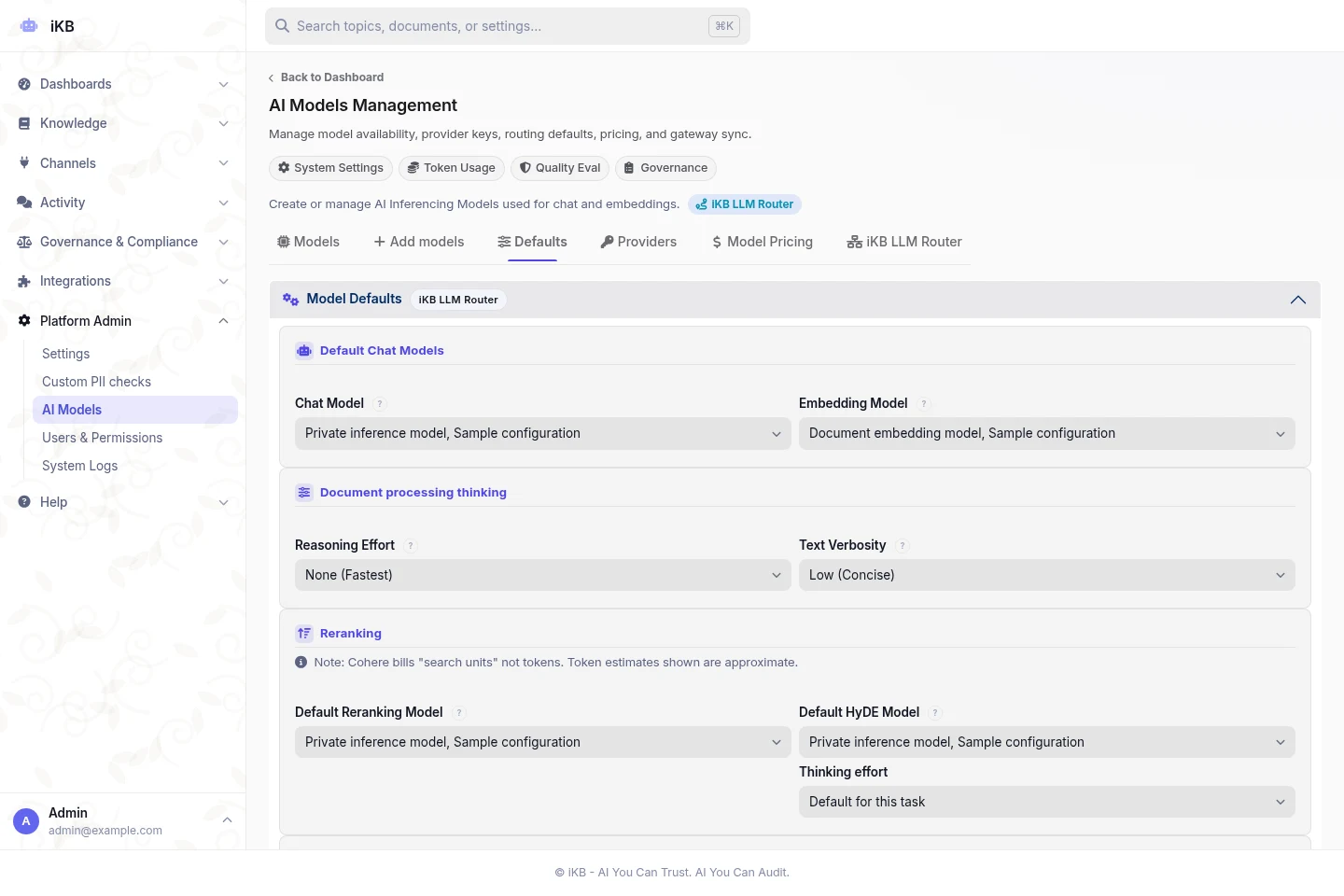
Answer questions in the channels your teams use.
Use native chat, a website widget, Teams, Slack, Chatwoot or the API. Let users check sources and choose follow-up actions. Hand over to an agent in configured Chatwoot channels.
Explore chat & channelsThe channels your teams use.
Native chat / Web widget / Microsoft Teams / Slack / Chatwoot / API
Manage access, costs and daily operations.
Set up topics, manage branding and review usage. Give administrators the records and controls needed to maintain the platform.
Explore administration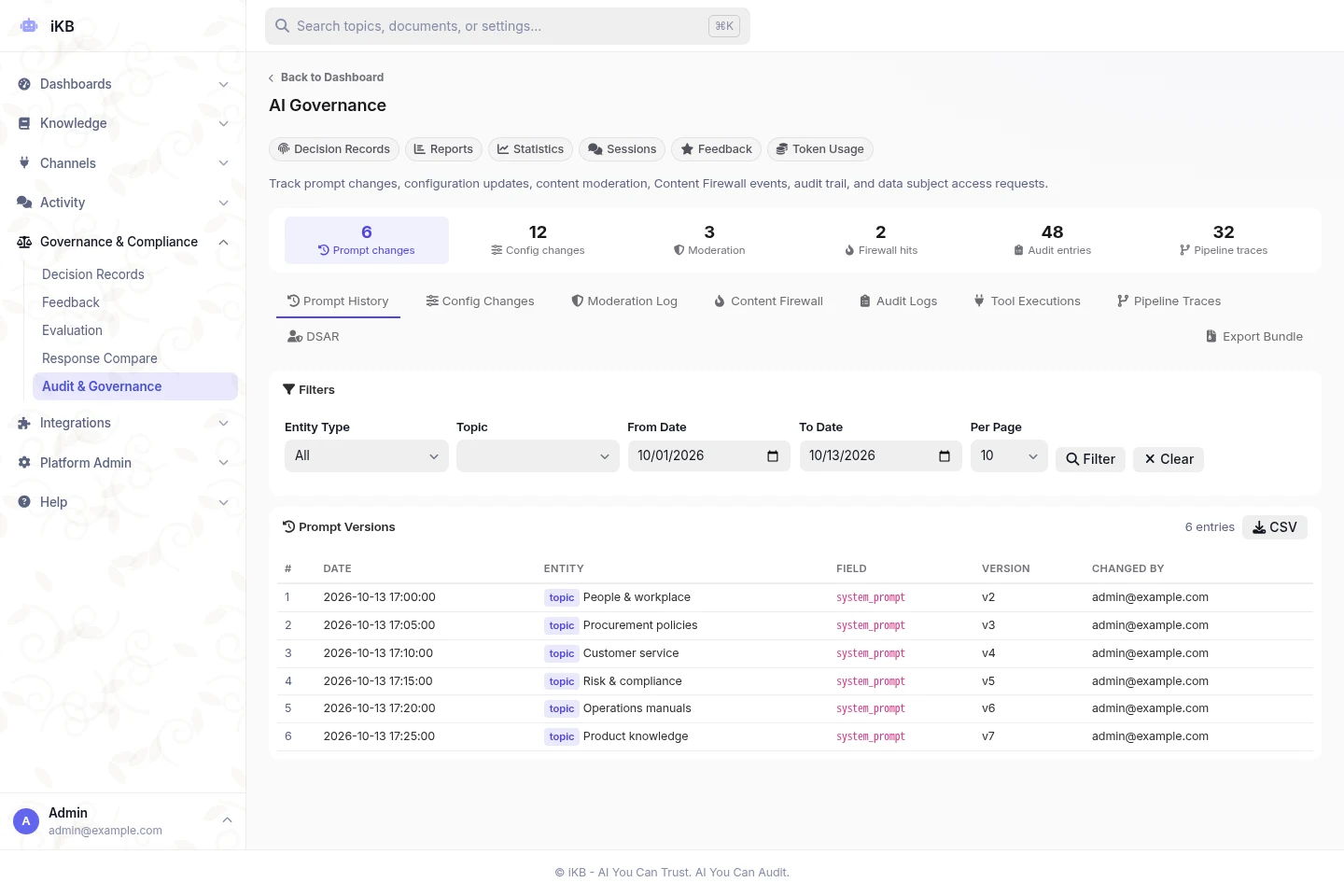
Test your documents.
Check the answers.
Start with a defined set of documents and real questions. Check search quality, source references, incorrect answers and access controls before rollout.
What does the test figure mean?
The document count is a reported stress-test figure, not a guarantee of accuracy on your data. Ask which documents were tested, how the test was run and what its limits were during your technical review.
Discuss an evaluationAI knowledge base questions.
What is an AI knowledge base?
How does it differ from enterprise search or a general chatbot?
Can it answer questions about internal policies and procedures?
Can we build dashboards from our spreadsheets and databases?
How does iKB check privacy during external research?
Do citations guarantee that an answer is correct?
Can we control access to connected information?
How can we evaluate iKB before a rollout?
Test iKB with your own documents.
Bring real questions. Review answers, source references and access controls with your team.